


1
/
of
7
Generic
SD Card Reader for Iphone Ipad,Trail Game Camera Micro SD Card Reader Viewer,Slr Cameras SD Reader with Dual Slot,Photography Memory Card Adapter,Plug and Play
SD Card Reader for Iphone Ipad,Trail Game Camera Micro SD Card Reader Viewer,Slr Cameras SD Reader with Dual Slot,Photography Memory Card Adapter,Plug and Play
Regular price
$22.19 USD
Regular price
$0.00 USD
Sale price
$22.19 USD
Quantity
Couldn't load pickup availability
🔒 Secure Checkout
⚡ Fast Shipping
⭐ Satisfaction Guaranteed
Two-way transfer : The SD Card Reader for iPhone supports two-way transfer,from SD card to iPhone or iPhone to SD memory cards. Double duty : The iPhone SD Card Adapter is compatible with SD,SDHC,SDXC,MicroSD,MicroSDXC and MicroSDHC memory cards. Raw files : The SD Card Reader supports standard photo formats including JPEG,RAW,and 4K video formats including H.264 and MPEG-4. High-speed : Blistering fast transfer speed,ensures high-speed syncing for raw photos,4k videos,and more. Play and Play : The SD Card Reader does not require third-party apps,uses the iOS built-in Files app,and supports play videos. Instructions 1. Insert a SD card to the slot and connect it to iPhone/iPad; 2. Open the “Files” App on iPhone/iPad, find the SD card folder; 3. Start to view or transfer files between SD card and device. Packing List: 1 x SD Card Adapter for iPhone 1 x User Manual
Two-way transfer : The SD Card Reader for iPhone supports two-way transfer,from SD card to iPhone or iPhone to SD memory cards. Double duty : The iPhone SD Card Adapter is compatible with SD,SDHC,SDXC,MicroSD,MicroSDXC and MicroSDHC memory cards. Raw files : The SD Card Reader supports standard photo formats including JPEG,RAW,and 4K video formats including H.264 and MPEG-4. High-speed : Blistering fast transfer speed,ensures high-speed syncing for raw photos,4k videos,and more. Play and Play : The SD Card Reader does not require third-party apps,uses the iOS built-in Files app,and supports play videos. Instructions 1. Insert a SD card to the slot and connect it to iPhone/iPad; 2. Open the “Files” App on iPhone/iPad, find the SD card folder; 3. Start to view or transfer files between SD card and device. Packing List: 1 x SD Card Adapter for iPhone 1 x User Manual
Two-way transfer : The SD Card Reader for iPhone supports two-way transfer,from SD card to iPhone or iPhone to SD memory cards. Double duty : The iPhone SD Card Adapter is compatible with SD,SDHC,SDXC,MicroSD,MicroSDXC and MicroSDHC memory cards. Raw files : The SD Card Reader supports standard photo formats including JPEG,RAW,and 4K video formats including H.264 and MPEG-4. High-speed : Blistering fast transfer speed,ensures high-speed syncing for raw photos,4k videos,and more. Play and Play : The SD Card Reader does not require third-party apps,uses the iOS built-in Files app,and supports play videos. Instructions 1. Insert a SD card to the slot and connect it to iPhone/iPad; 2. Open the “Files” App on iPhone/iPad, find the SD card folder; 3. Start to view or transfer files between SD card and device. Packing List: 1 x SD Card Adapter for iPhone 1 x User Manual
Materials
Materials
Shipping & Returns
Shipping & Returns
Dimensions
Dimensions
Care Instructions
Care Instructions
Share


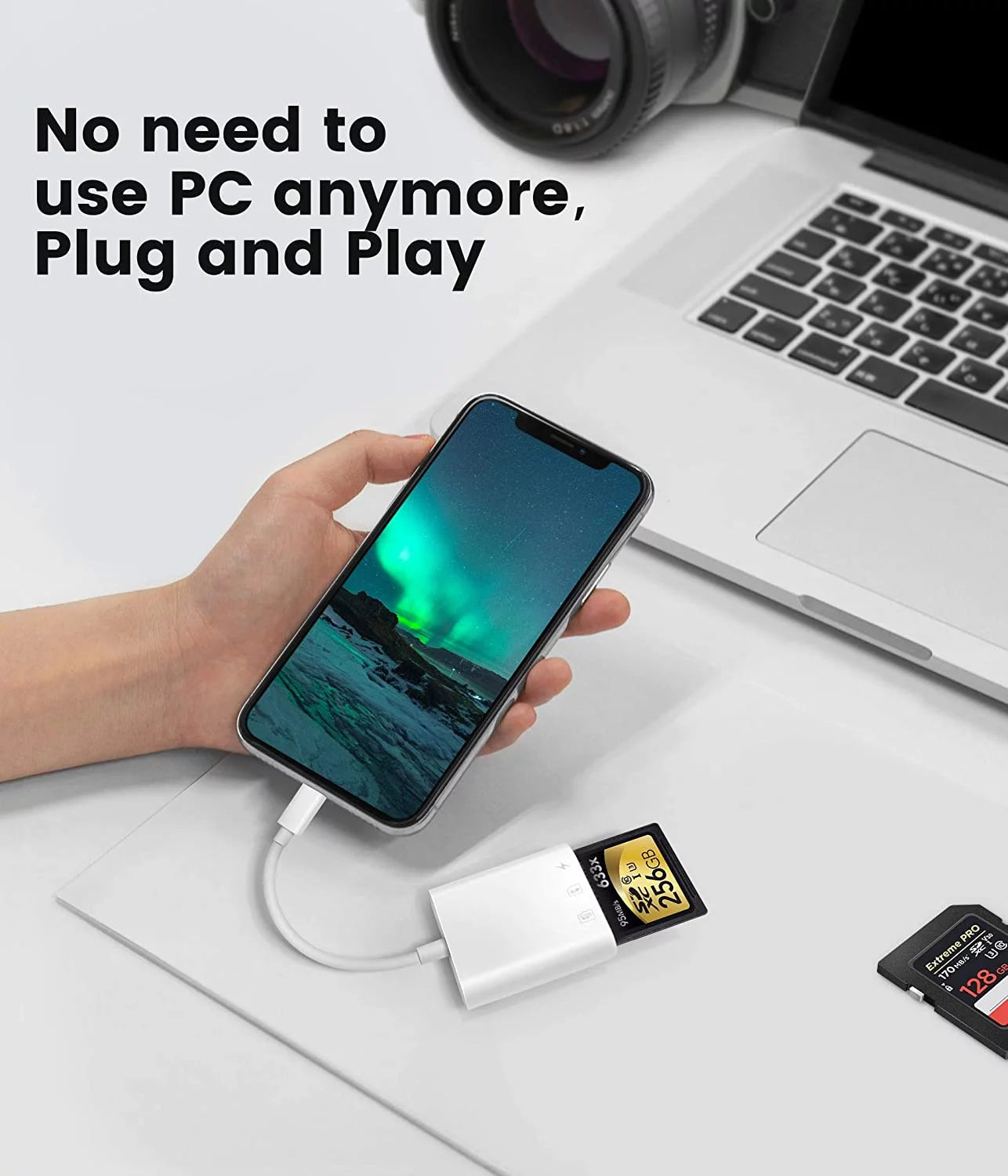
Image with text
Pair text with an image to focus on your chosen product, collection, or blog post. Add details on availability, style, or even provide a review.
-
Free Shipping
Pair text with an image to focus on your chosen product, collection, or blog post. Add details on availability, style, or even provide a review.
-
Hassle-Free Exchanges
Pair text with an image to focus on your chosen product, collection, or blog post. Add details on availability, style, or even provide a review.